Table of Contents
Elcotel programming
Programming of Elcotel 5 board has to be done with the PNM software. This requires:
- a PC with Windows 3.11 or 95. Windows 98 might require use of DOS compatibility mode. Ideally a PC from the era - 486 or Pentium.
- Software works with Oracle VirtualBox as well but it's more likely to fail, so a real PC is recommended
- a modem - internal or external is fine, hardware modem preferred. Winmodems / also known as Softmodems may work, but are more of a trouble.
- two phone lines are needed and it cannot be VoIP adapter. Phone would answer and handshake successfully, but will fail soon after. I've tried with both Grandstream and Linksys/Cisco adapters and various settings. There is a workaround - described in Phone lines page. An analog PBX would be ideal, or a line emulator, or a landline - but who has it?
- Refer to Documents for details
Older Elcotel boards are possible to program as well, but we have no experience with it, they are very rare now and likely don't support current NANP.
How to default the phone
- Open the phone housing leaving the keypad plugged in.
- Press and hold the program button, then pick up the handset (early revisions have no button - short J4 pins 7&8).
- Still holding the program button, listen for the relay to clench and fire.
- When this happens, let go of the button.
- You should hear dial tone in the handset.
- Hang up the phone and call it from the computer
- Defaulted Elcotel board will only allow 7-digit number calling for 25 cents.
- For more details, refer to Manual and Compact Guide in Documents section.
Now the options to make it work are:
- call and program from the computer. Defaulted phone will accept any ID/password and will store it to authorize future calls
- get our custom EPROM chip (with the rates and options of your choice) and swap the original. It is unofficial version 5.9.0 with some other improvements, like removed the waiting time after the number is dialed.
- try our workaround to let phone make all calls free: Using Elcotel 5 / 5501 as a regular phone
Telemetry - special codes
Elcotel has a special access code for diagnostics, it's called “Telemetry”. To access:
- dial
#99999999(when defaulted) or whatever other “Bypass code” has been set in the PNM - or call the phone, wait for the modem to answer, wait for the carrier tone to go. Dial the bypass code. Only works if not disabled in the options
- Software 5.4.0 and newer: phone will say “Thank you” if the code is correct
- Older software: start dialing option after 4 seconds but not later than 10 seconds
- Dial 3-digit commands or registers to check/set their value. Phone will say register number and the value
- Press
* value *to change it. - Some commands and registers (refer to manuals for more complete data):
962- zero the coin box counters963- exit telemetry mode (can also hang up)965- return the coin966- collect the coin967- report active alarms972- clear alarms969- Burn RAM to EEPROM986- Report Line Current Status (0=no current, 1=forward, 2=reversed)999- Default the board (only 5.4.x firmware)404- payphone number (ANI)800- Cash Box Total (reset by 963)801- Totalizer Amount (reset by 983)998- Self-program options and rates (only our 5.9.0 firmware)
Rate file
Rate file is needed to set the rates correctly. We just released the rate tool or you can try the simplified, future-proof rates (25 or 50 cents/3min) in Rate files.
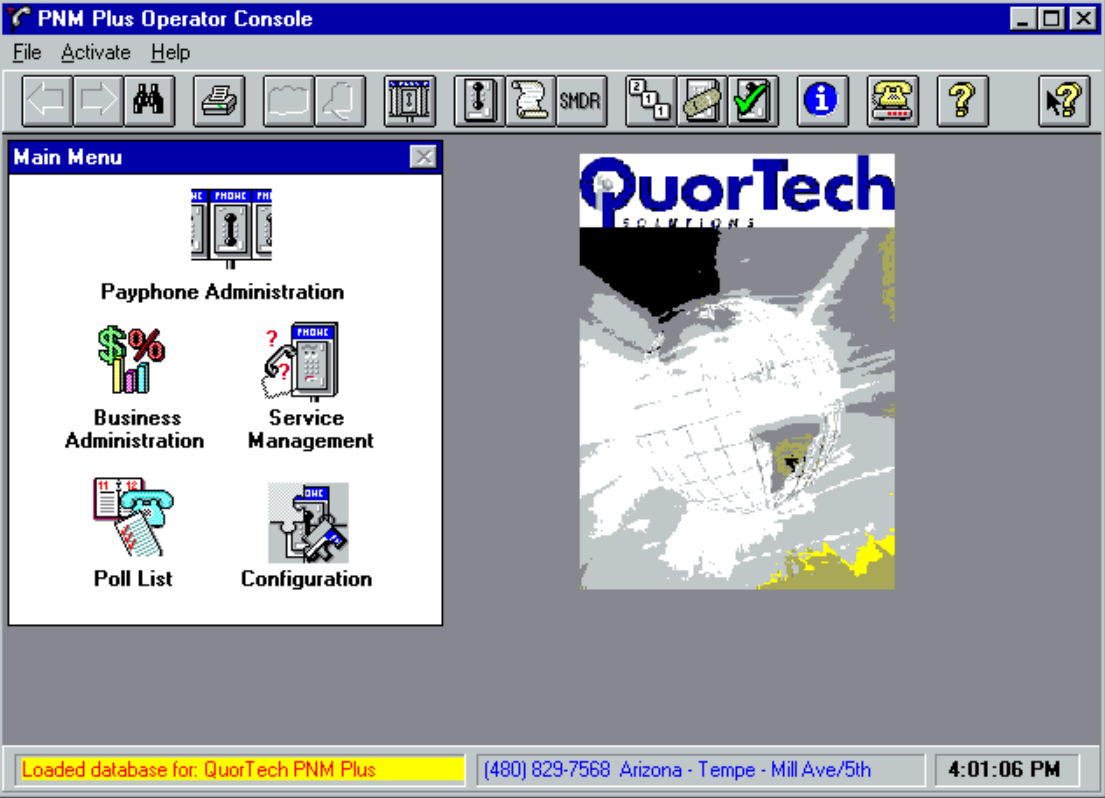
PNM Plus software